
Late Saturday night I stumbled upon a truly no-fuss method for making a layout magically come together. Perhaps it was just mere coincidence of creativity and timing, but I think these 5 steps are one more great way to make scrapping simple. I’ll take you through my thought process for this layout:
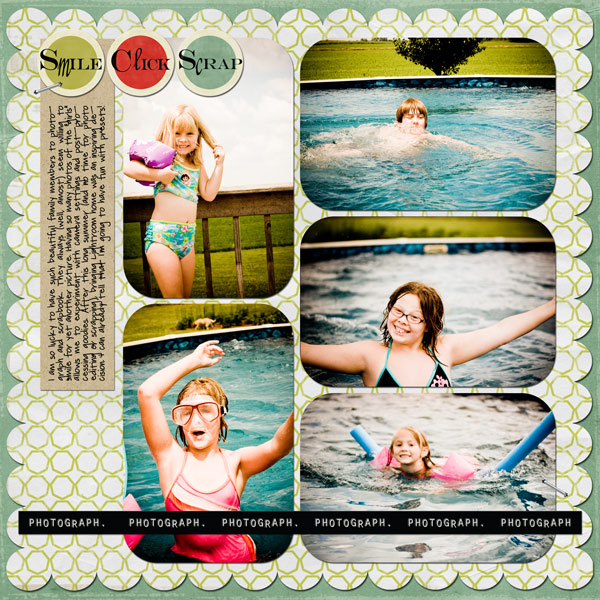
1. Select a grouping of photos that inspire you. As I was editing a batch of photos from the summer, I used richly colored vintage preset to make a set of goofy shots come together. These photos illustrate the subjects’ personalities very well.

2. Find a template that fits your photos. By choosing your images first, the memories remain at the heart of your scrapping. Find a template that works with the story you are telling. In this example, I wanted to re-create the look of rounded corner photos pasted to paper – a classic paper scrapping method (download link at the end).

3. Choose a “basic black dress” kit that coordinates well. I love to keep a variety of goes-with-anything kits in my stash. Bright colors, fresh patters and not-too-themed elements are the hallmarks. For this layout, the new Click. kit from Kelley Mickus would be perfect.
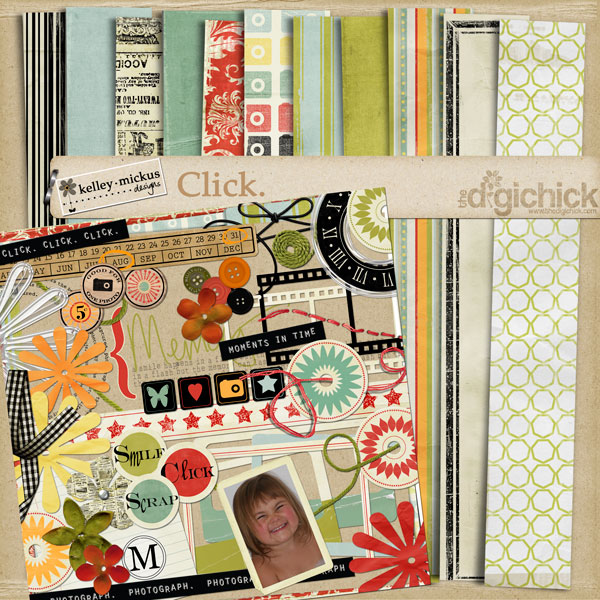
4. Pull it all together (swiftly). Try not to overthink your design. Often you first gut instincts generate the greatest eye appeal. Focus on your journaling and using pretty papers. Leave excessive clusters/bling for another layout.
5. Wait to export/upload. Twice now, I’ve found that “sleeping on it” is a great way to finish a layout. I bring all the elements together fairly quickly one evening and then polish it up the next. This approach prevents endless tinkering.
Do you have a stress-free process that works for you? I’d love to hear about little things you do to make digital scrapbooking work for you!
Download link moved to Subscribers Only area.
Subscribe via RSS or email for exclusive access to past freebies.
My problem is knowing when to stop. There’s always more you can add to a page. I’m finding that usually “less is more”.
Thanks for another great template!
Thanks so much for the template.
Your layout looks great. Love what you’ve done with the photos. What presets did you use?
I’ll check at home, but I’m pretty sure it was Edgy Church from this set – http://www.presetsheaven.com/2009/02/19/8-epic-lightroom-presets-for-weddings/
Thanks. I love your templates and emails.
The link is saying 404 not found. Anyone else having trouble?
It seems to be working fine now, is anyone else having trouble?
I got it to work now, thanks so much! 🙂
Fabulous template! Thank you!
Thanks so much for the wonderful template! Your tips are great, too. Putting a layout together fast and then sleeping on it overnight is a great idea! 🙂
Thank U for sharing!:)
Nice tips! I really like the ‘little black dress’ one!
Thanks!
This looks great…thank you very much!
Love the editing of the photos. Great page to unify everything together and perfect kit to make the photos pop. New to your blog and I’ve found it very interesting – just subscribed.
thanks for the template! loved working with it
http://digitalscrapink.com/gallery/showphoto.php?photo=1021
I liked your steps, but for a scrapper that doesn’t use kits I’d have to come up with a different step for that……I keep shoeboxes of “general” accessories that I pick out of, no halloween or Xmas themed things, just whatever goes that I have found on sale at Hobby Lobby. Sometimes those kits get so expensive